> ## Documentation Index
> Fetch the complete documentation index at: https://docs.peaka.com/llms.txt
> Use this file to discover all available pages before exploring further.
# Connecting data using a SaaS connector
> Learn how you can connect your data using a SaaS connector
This guide will demonstrate how to add a SaaS Connector in Peaka, using the Peaka HubSpot Connector as an example. SaaS Connectors enable you to seamlessly integrate and access data from various external sources within your Peaka project.
## Step-by-Step Guide
1. **Switch to the 'Data Model' mode**: Ensure that you are in the '**Data Model**' mode. If you're not already in this mode, use the switch button located at the top of the page to select it.
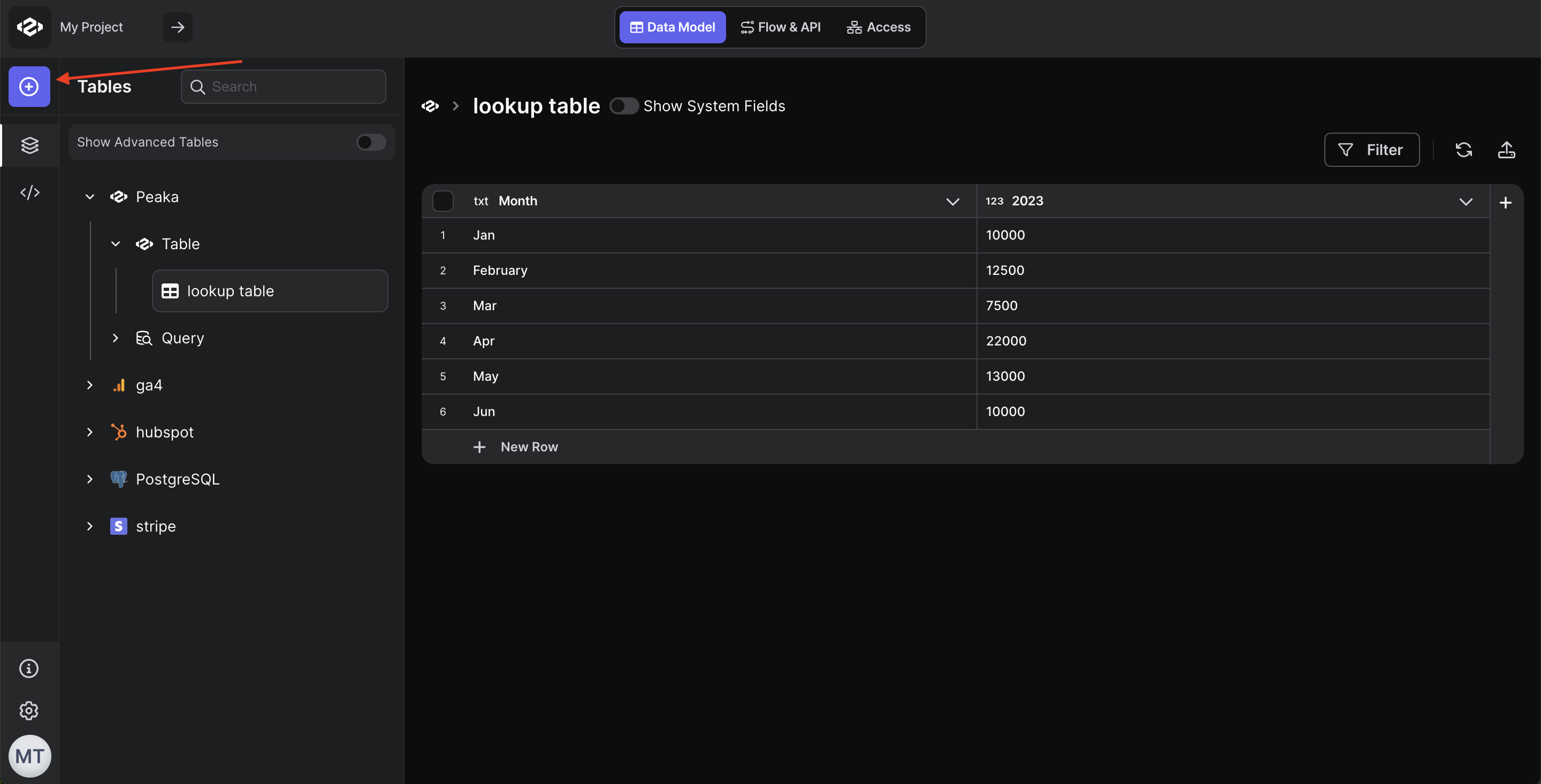
2. **Access the SaaS Connector Setup**: In the '**Data Model**' screen, you will see a set of buttons, as shown in the image below. Click on one of these buttons to access the SaaS Connector Setup.
 3. **Choose the connector**: Choose the connector you want to connect.
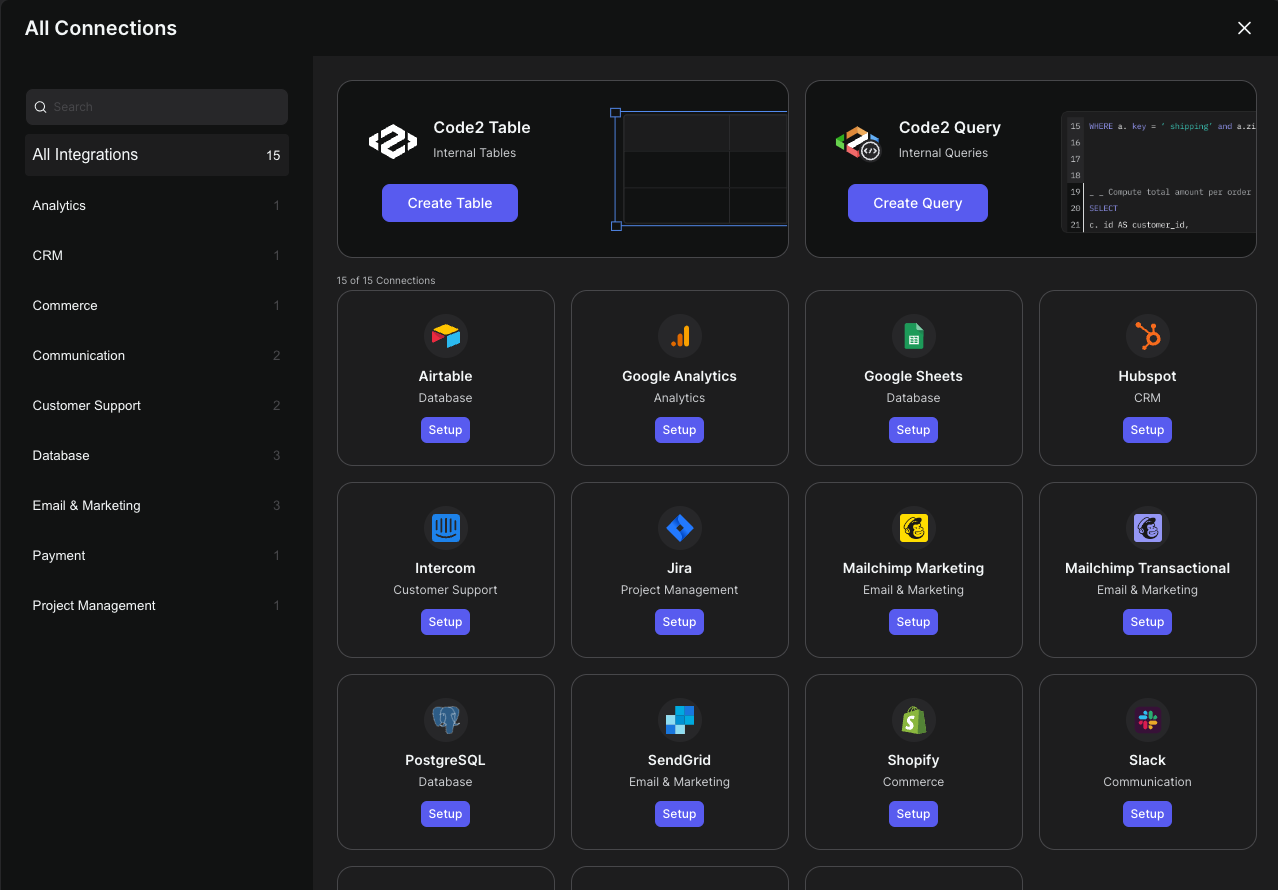 There is technical documentation in Peaka Docs for each integration. You can find the documentation of the integration which you want to connect
* [Integrations](https://docs.peaka.com/integrations).
There is technical documentation in Peaka Docs for each integration. You can find the documentation of the integration which you want to connect
* [Integrations](https://docs.peaka.com/integrations).