> ## Documentation Index
> Fetch the complete documentation index at: https://docs.peaka.com/llms.txt
> Use this file to discover all available pages before exploring further.
# Delete Organization
> Learn how to delete an organization in Peaka.
This article explains how you can delete an organization in Peaka.
1. Log in to your Peaka account.
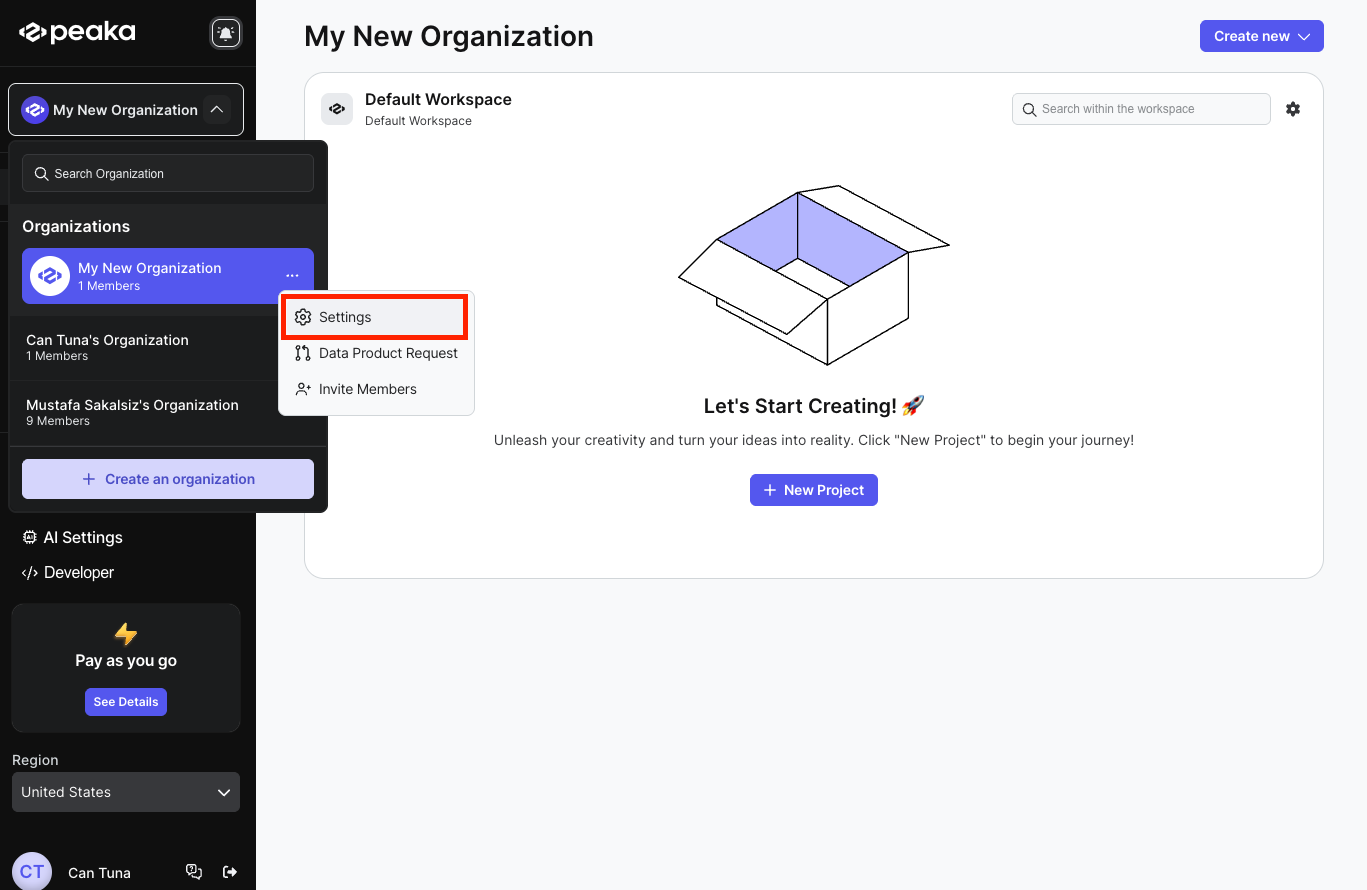
2. Click on the three-dots button (ellipsis icon) associated with the organization and click on the "**Settings**" option.
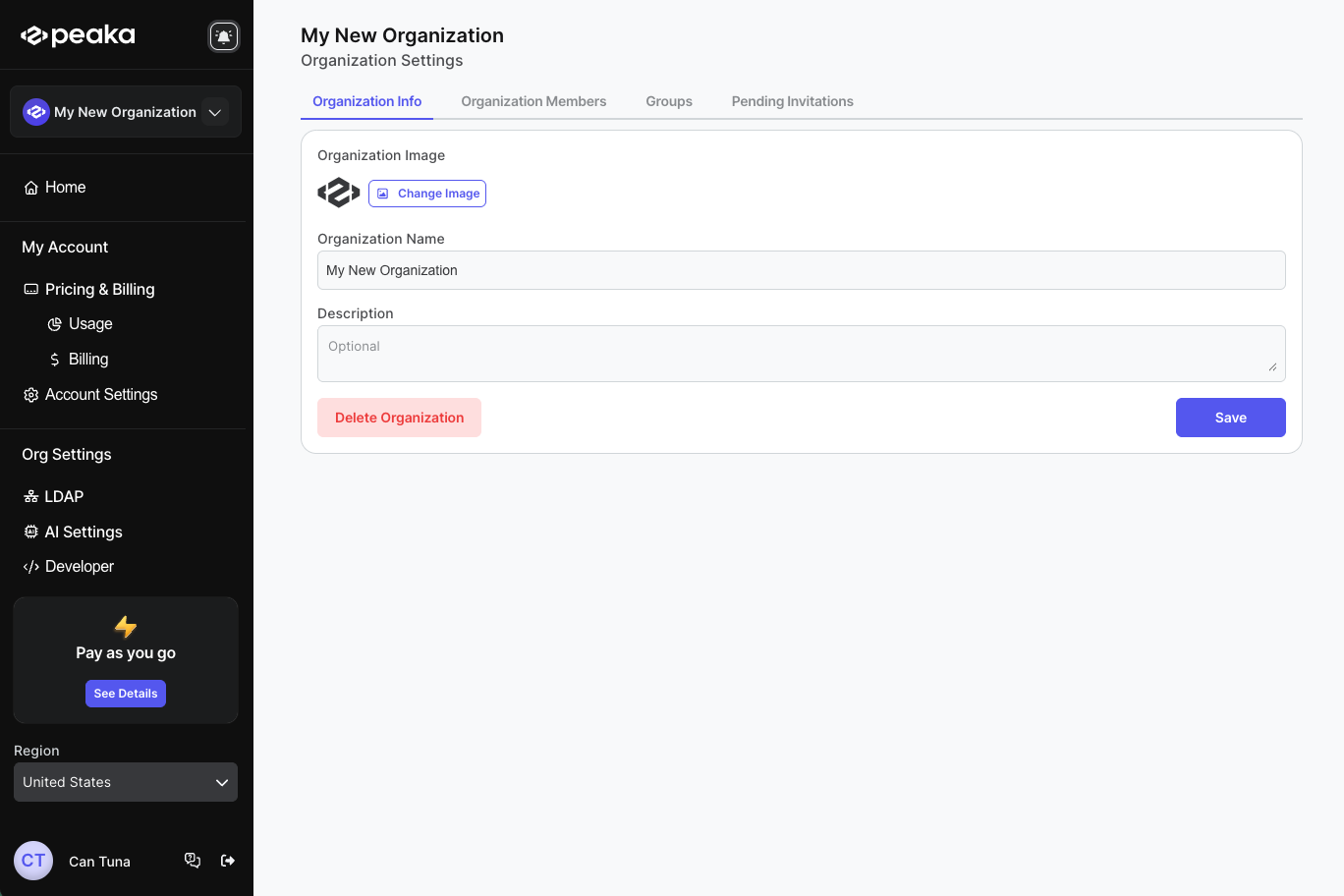
 3. Click on the "**Delete Organization**" button.
 4. Enter the organization name and click on the "**Delete**" button.
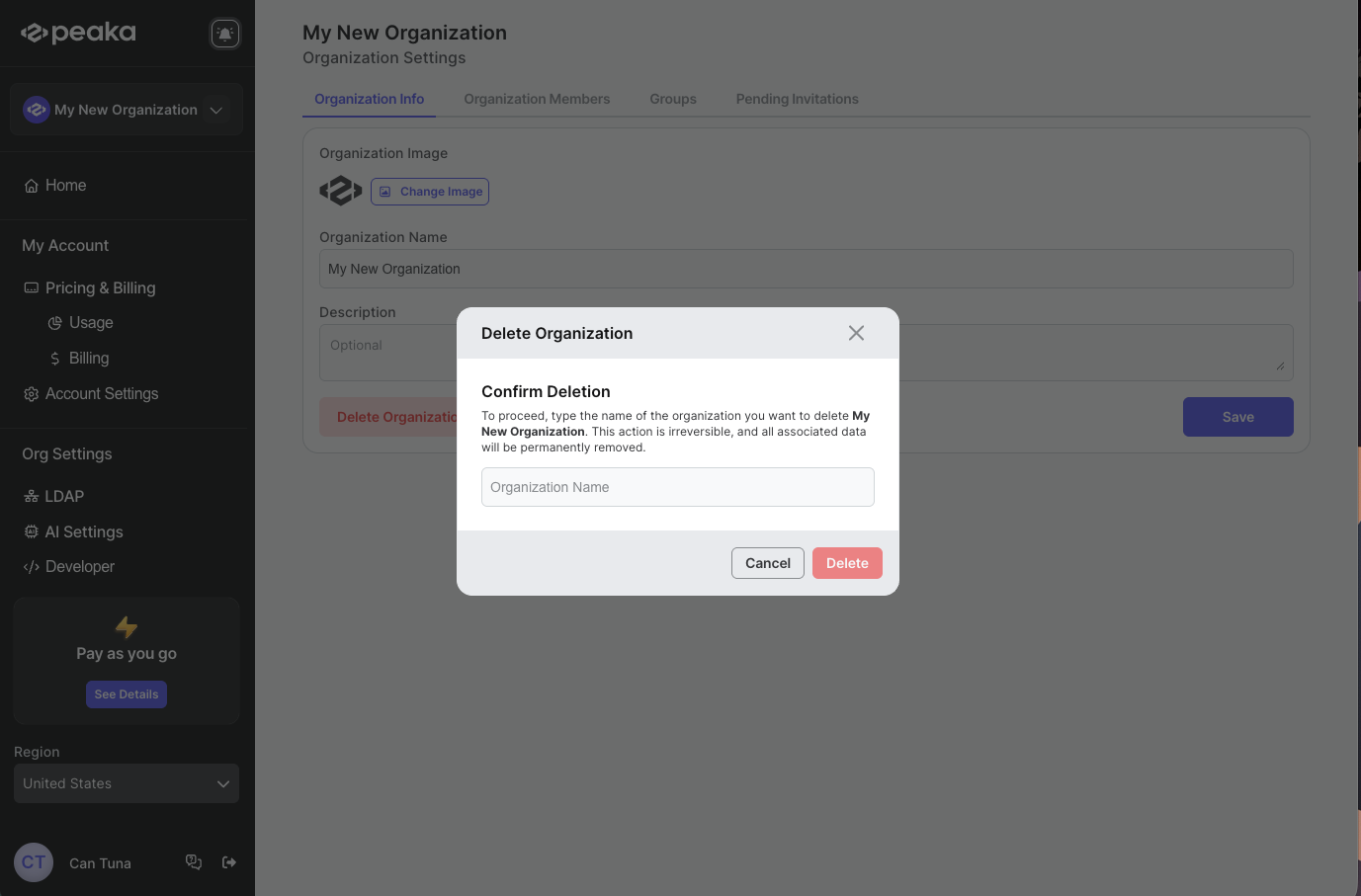 That's it! Your organization will be deleted.