

What are semantic catalogs?
A semantic catalog is a powerful semantic layer that organizes and provides controlled access to curated data subsets from your integrated sources such as Snowflake, MongoDB, and HubSpot—all without the need for data duplication. Semantic catalogs act as a bridge between your raw data sources and end users, providing a clean, consistent, and business-friendly view of your data. They transform complex, technical data structures into simplified, meaningful datasets that can be easily understood and consumed by different teams, tools, and applications.How semantic catalogs work
Semantic catalogs are created from SQL queries that you’ve already saved in Peaka. When you convert a query into a semantic catalog, it becomes a virtual table that appears in your Tables section. This table can be queried just like any other table in your catalog, but it’s powered by the underlying SQL query you defined. The key advantage is that semantic catalogs automatically reflect changes in your source data—when the underlying data updates, queries against your semantic catalog will return the latest information without requiring manual updates or data copying.Why semantic catalogs are useful
Semantic catalogs offer several key benefits:- No data duplication: Access curated data views without copying or moving data, reducing storage costs and ensuring data consistency
- Centralized data modeling: Create a single source of truth for business logic and data transformations using SQL
- Controlled access: Share specific data subsets with different teams, partners, or projects while maintaining security and governance
- Simplified consumption: Present complex data in a format that’s easy to understand and use, whether through APIs, BI tools, or dashboards
- Reusability: Share semantic catalogs across multiple projects and use cases, reducing redundant work
- AI-ready: Structure your data in a way that’s optimized for AI and machine learning applications
Use cases
Simplifying data models
Semantic catalogs help you transform complex, multi-table data structures into simplified, single-table views. Instead of requiring users to understand complex joins, relationships, and technical schemas, semantic catalogs present data in a flat, intuitive format. This makes it easier for business users, analysts, and developers to work with your data without deep technical knowledge of the underlying database structure. For example, you can combine customer data from multiple tables (customers, orders, products) into a single semantic catalog that shows customer purchase history in one clean view.AI-ready data models
Semantic catalogs are ideal for preparing data for AI and machine learning applications. They allow you to:- Structure data in formats optimized for AI consumption
- Ensure consistent data quality and formatting
- Create feature-rich datasets with pre-computed aggregations and transformations
- Provide clean, labeled data that AI models can easily process
Data products and cross-project sharing
Semantic catalogs function as reusable data products that can be shared across multiple projects within your organization. Instead of recreating the same data transformations in each project, you can:- Create a semantic catalog once and share it with multiple projects
- Maintain consistency across different projects and teams
- Reduce development time and effort
- Ensure all projects use the same business logic and data definitions
Sharing datasets with third-party partners and vendors
Semantic catalogs enable secure data sharing with external partners, vendors, or clients. You can:- Create curated datasets that expose only the necessary data to external parties
- Control access through API keys and project-level permissions
- Share data without exposing your entire database or raw data sources
- Provide partners with clean, well-documented datasets that are easy to integrate
How to create a semantic catalog
Before creating a semantic catalog, ensure you have:- An existing catalog set up
- A query created and saved
- Navigate to the Queries page in Peaka and select the query you want to use as the basis for your semantic catalog.
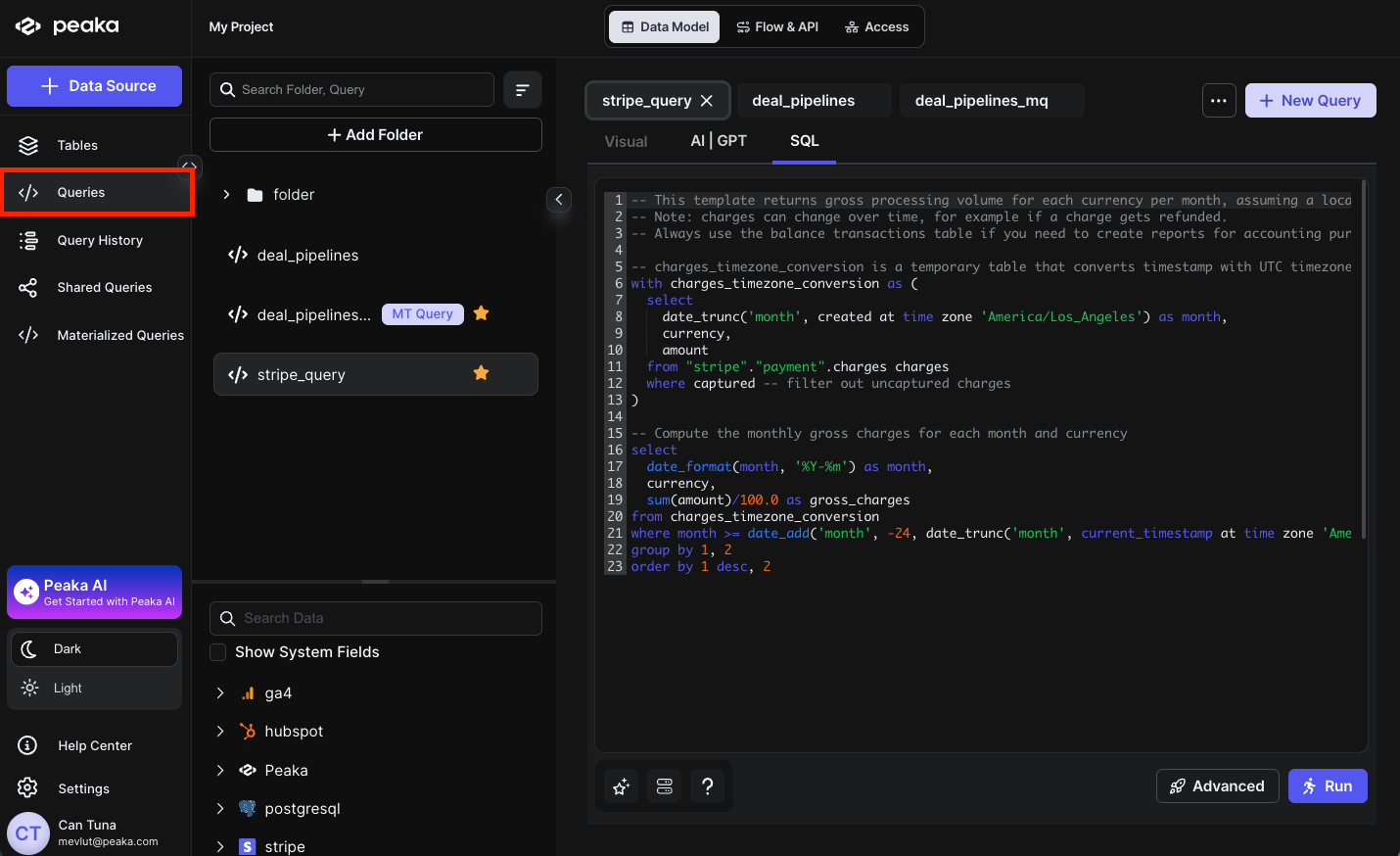
- Click the Advanced button to open the configuration modal. Select the Semantic Catalog option and click Next.
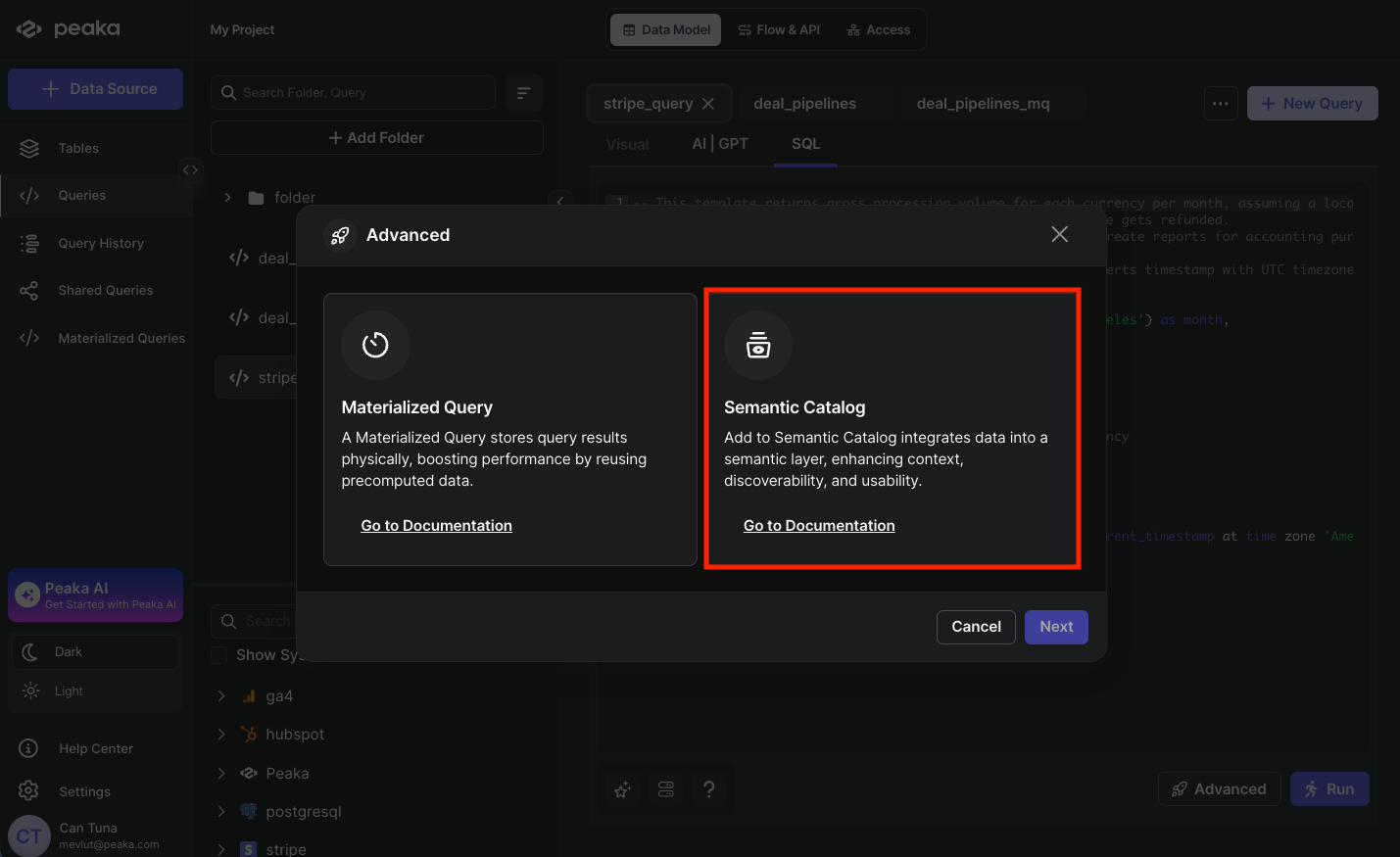
-
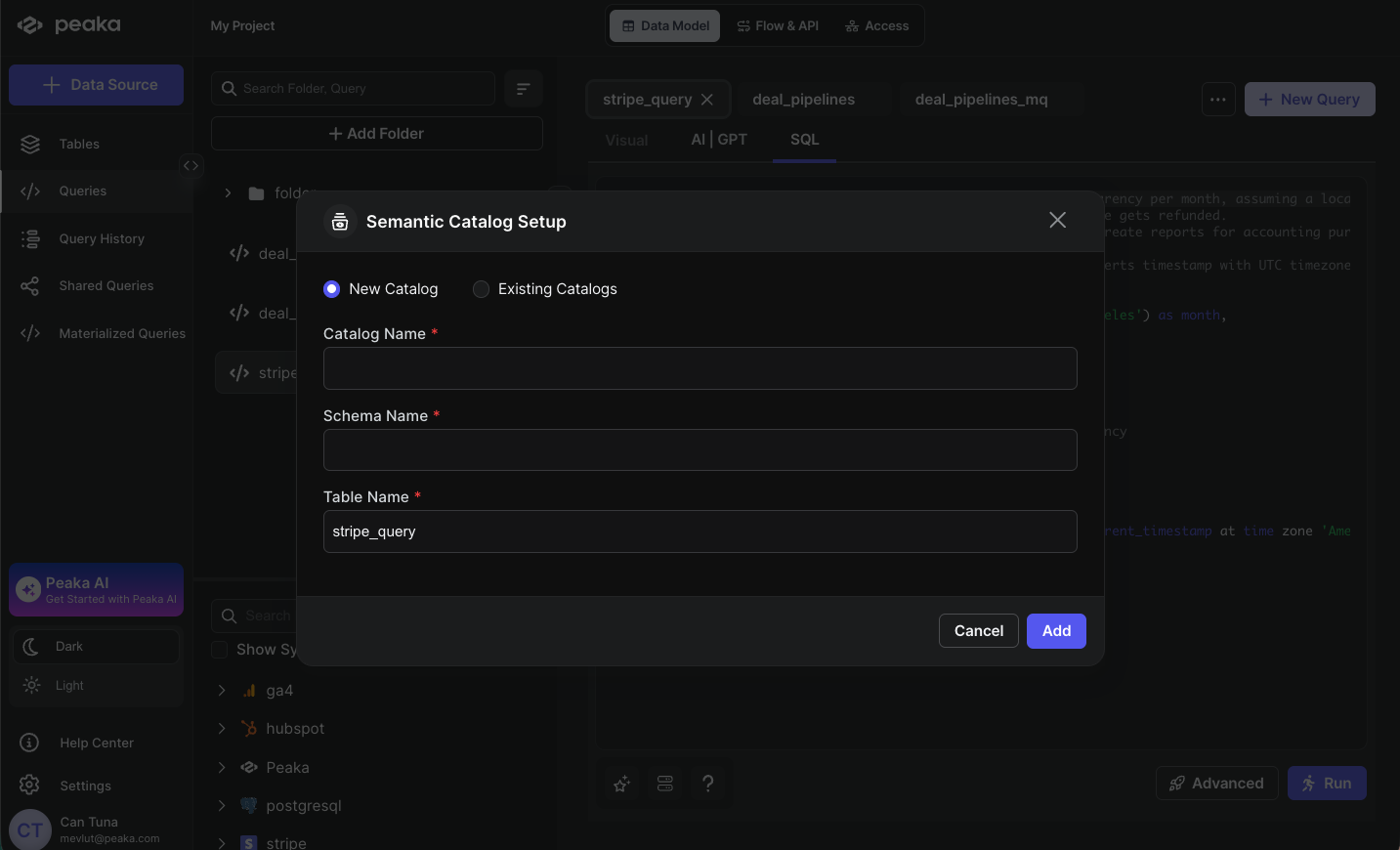
Choose your catalog:
- If you have an existing semantic catalog, select Existing Catalogs and choose the catalog from the dropdown
- If you want to create a new catalog, fill in the required fields:
- Catalog name: A descriptive name for your semantic catalog
- Schema name: The schema where your semantic table will be created
- Table name: The name for your semantic table
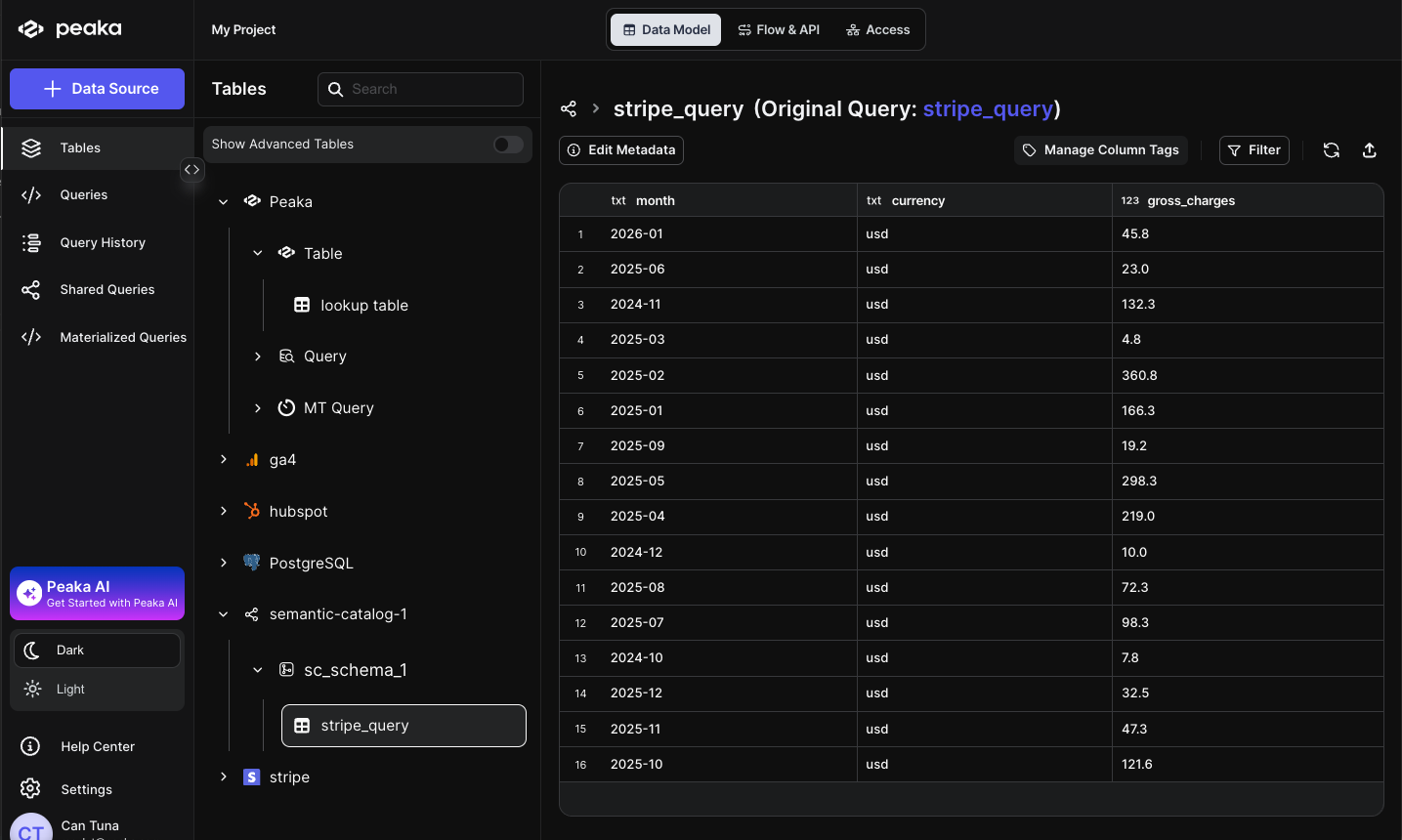
- Your semantic catalog is now created! You can view it in the Tables section of the left sidebar.
How to share a semantic catalog
Before sharing a semantic catalog, ensure you have:- A semantic catalog created
- Navigate to the Tables page in Peaka. Find your semantic catalog name in the list, click the three-dot menu (…), next to it, and select Share Options.
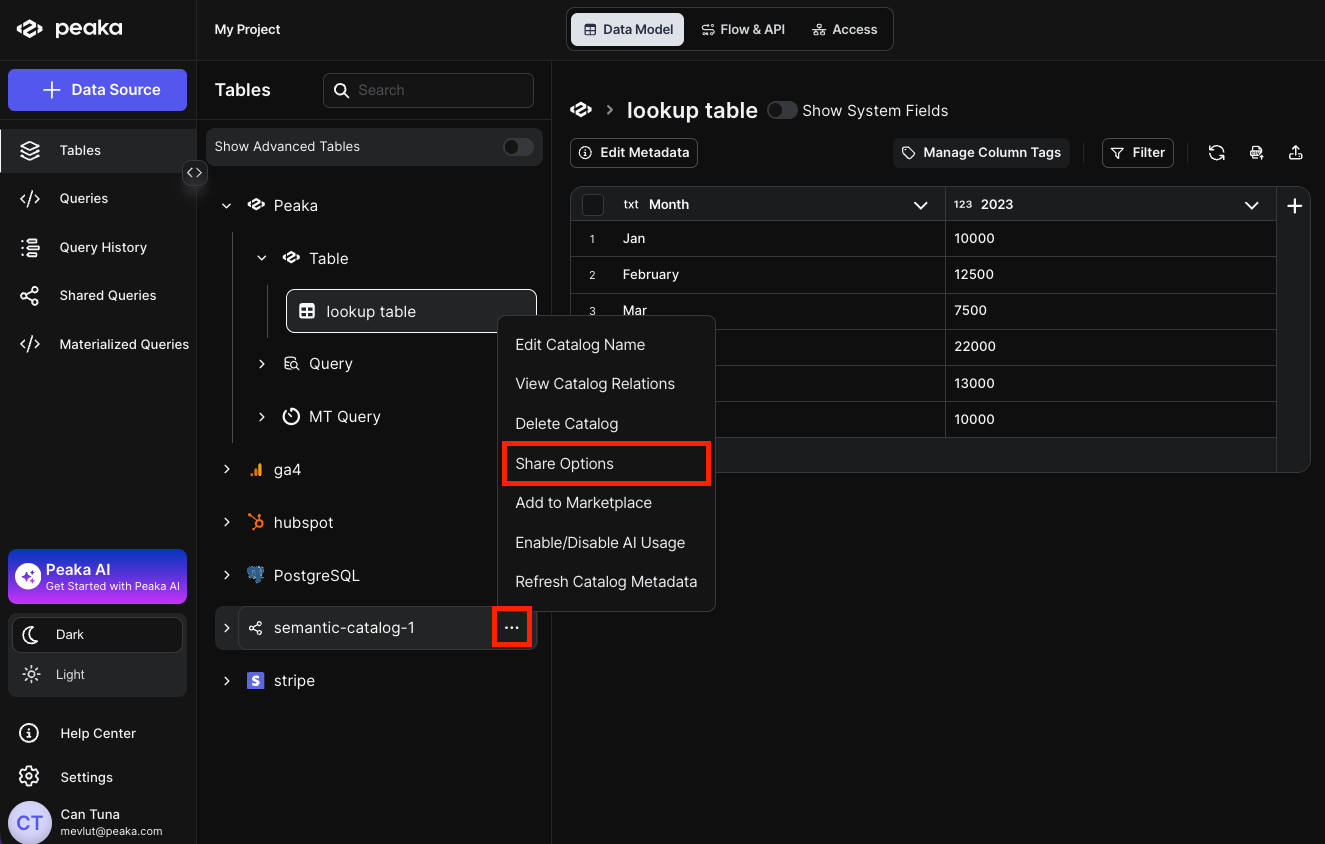
- A modal will open allowing you to share the semantic catalog with other projects. Select the project(s) you want to share the semantic catalog with and click Share.
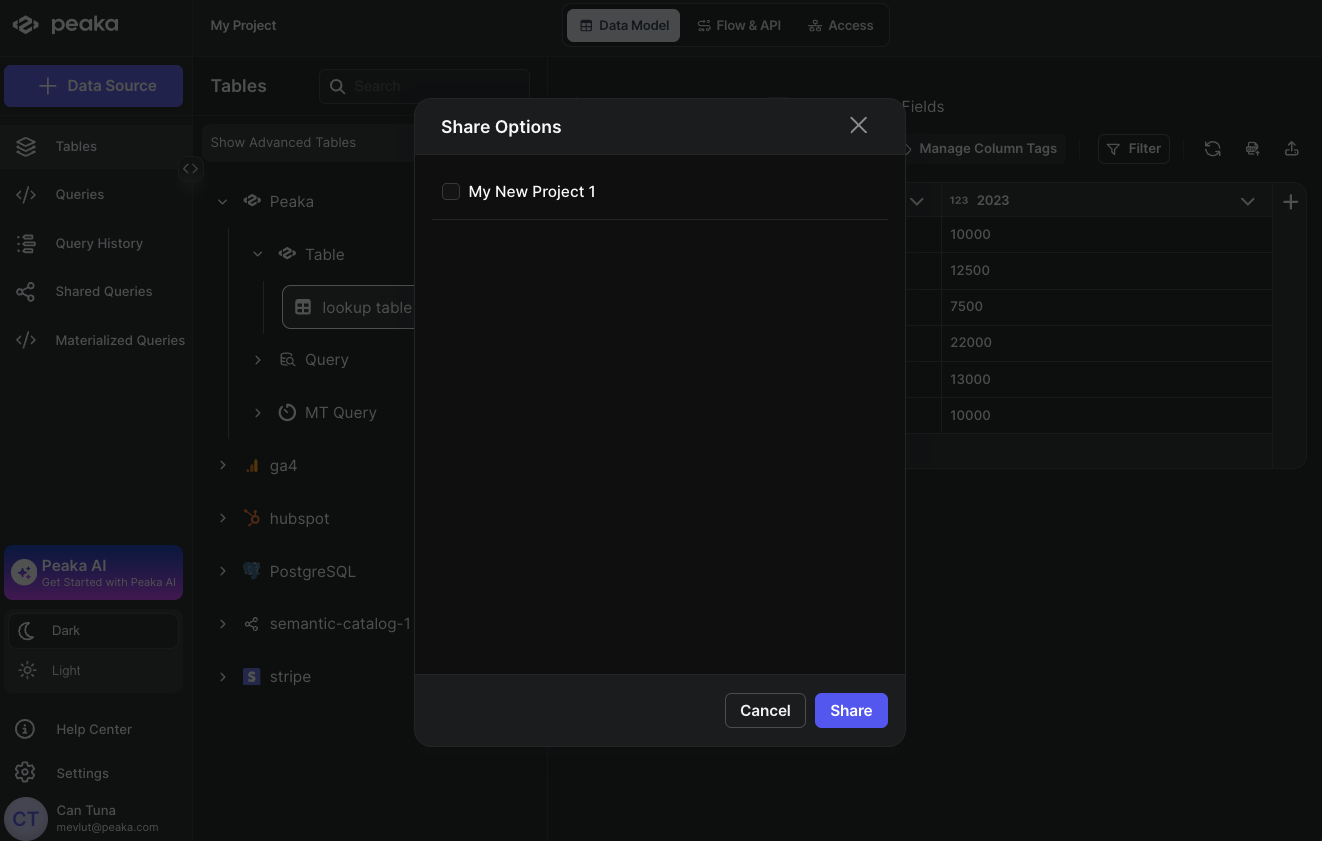 That’s it, the semantic catalog is now shared with the project. You can view the shared semantic catalog in the Tables section of the left sidebar in the project you shared the semantic catalog with.