

- Log in to your Peaka account.
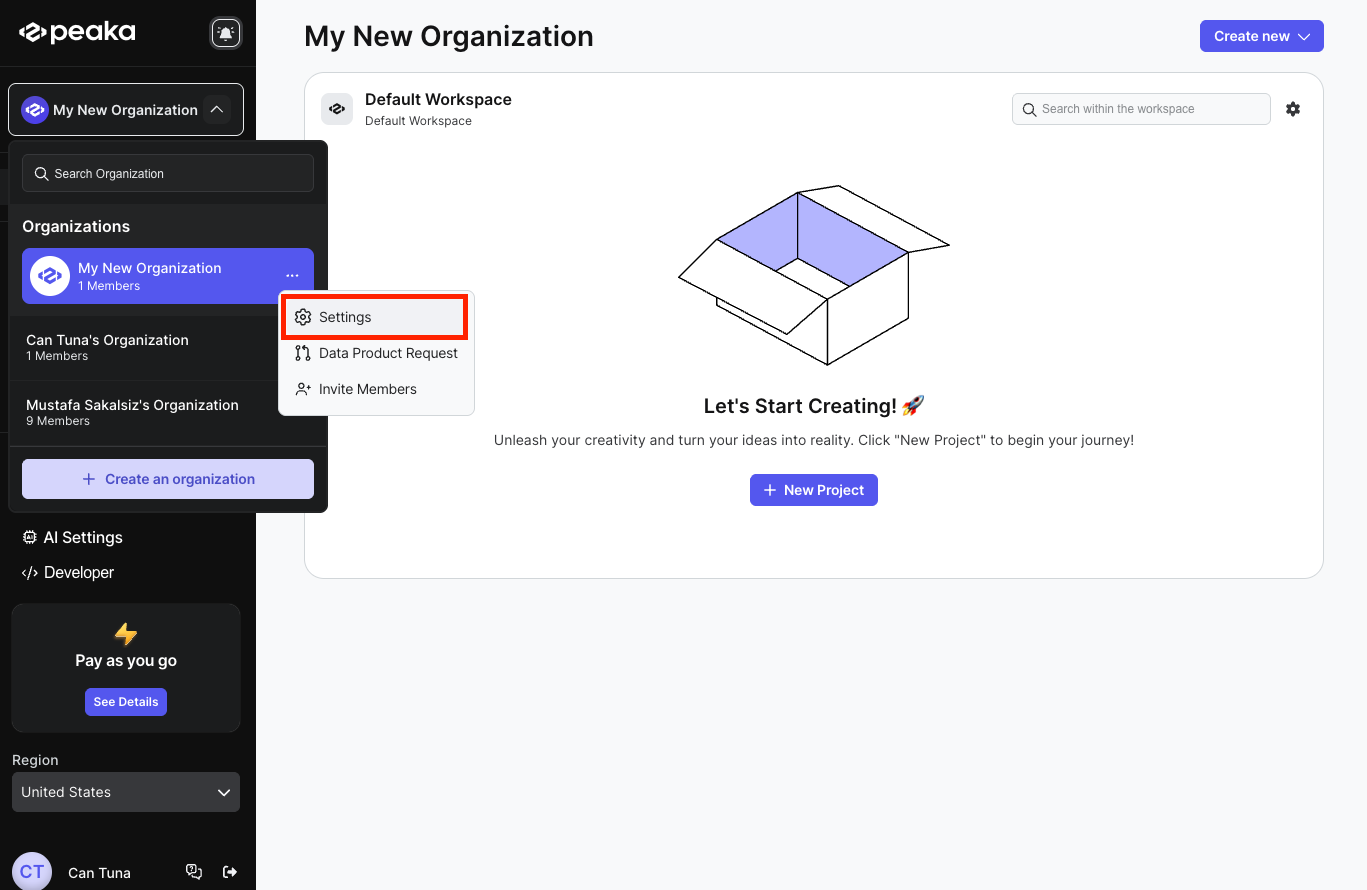
- Click on the three-dots button (ellipsis icon) associated with the organization and click on the “Settings” option.
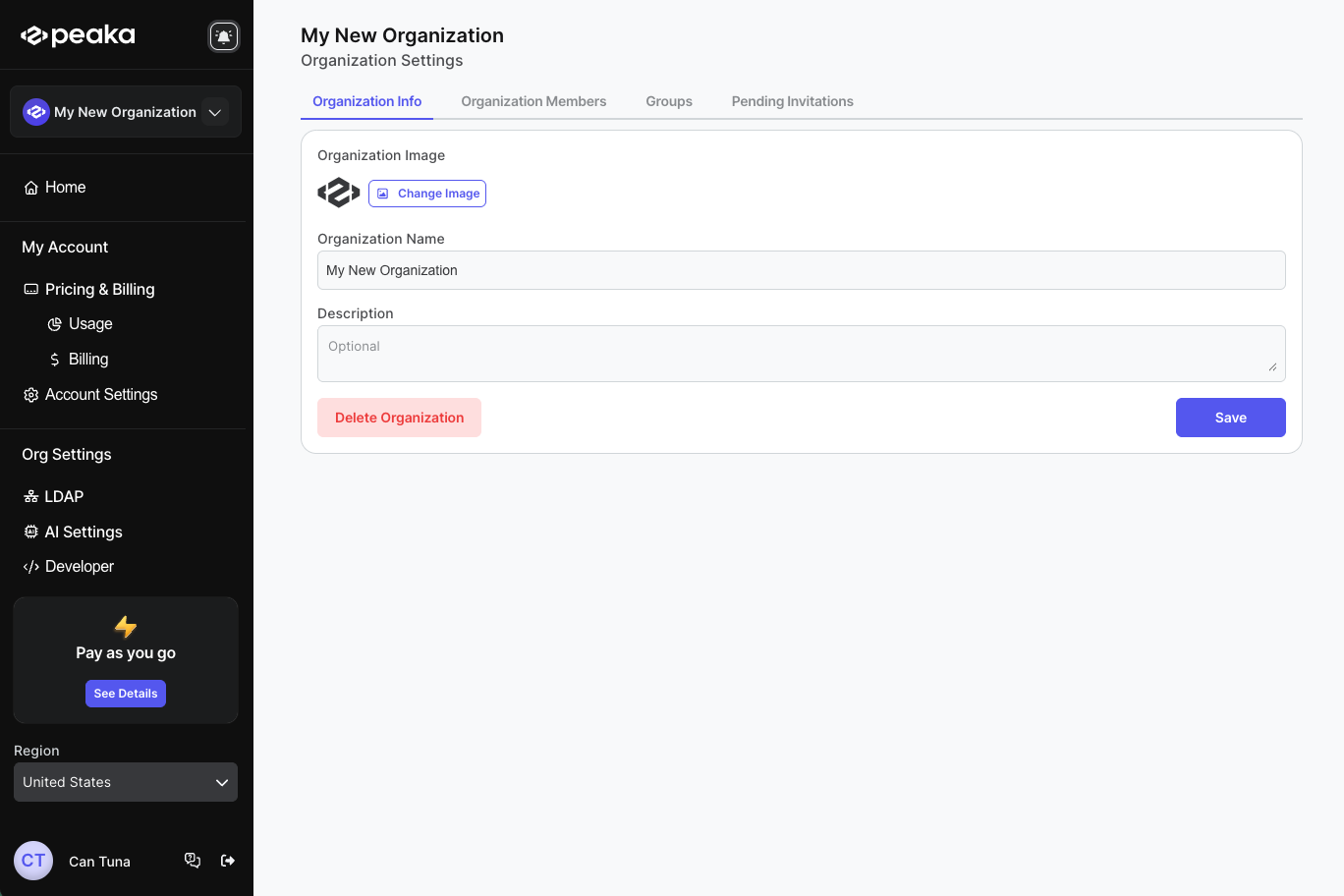
- Update the organization image, name and description and click on the “Save” button.
 That’s it! Your organization will be updated.