- Log in to your Peaka account.
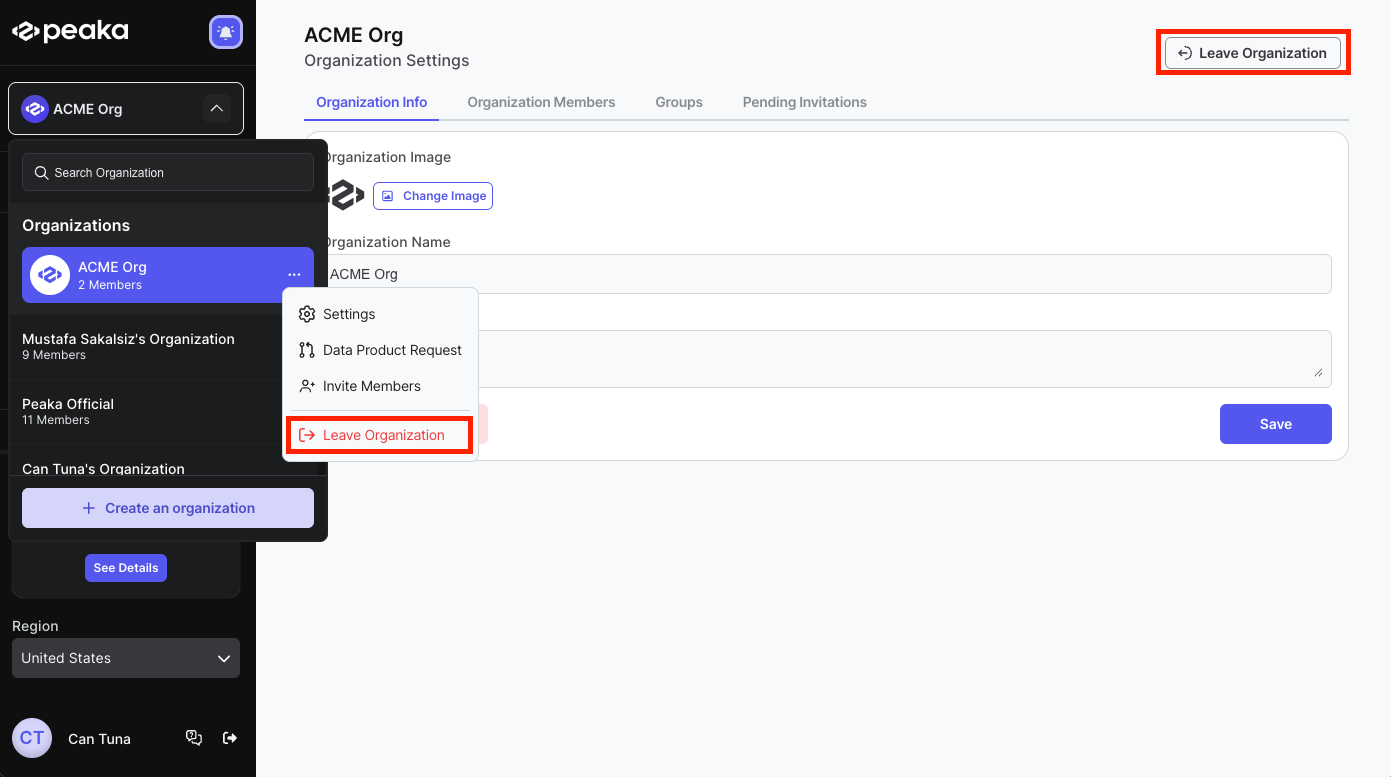
- Click on the three-dots button (ellipsis icon) next to the organization you want to leave and select the Leave Organization option. Alternatively, navigate to Organization Settings and click the Leave Organization button in the top-right corner.
-
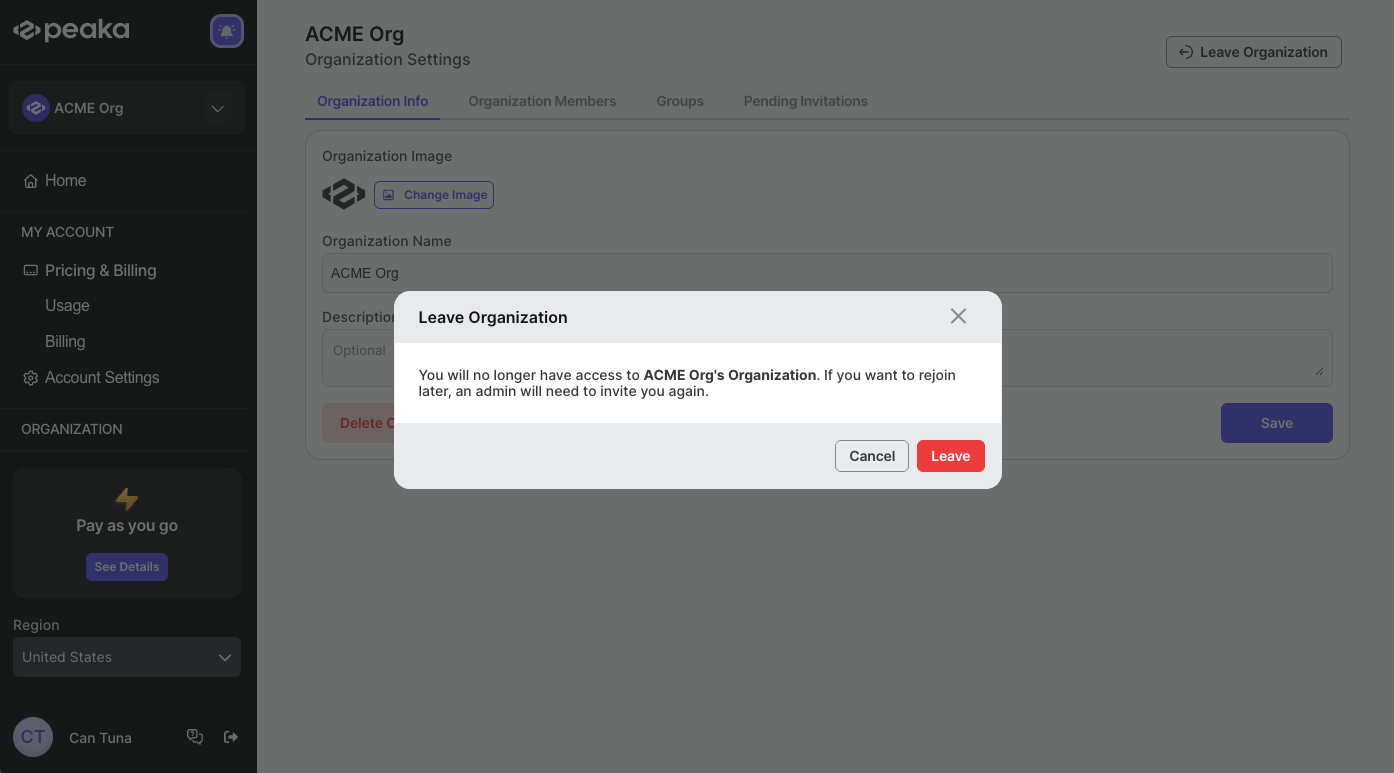
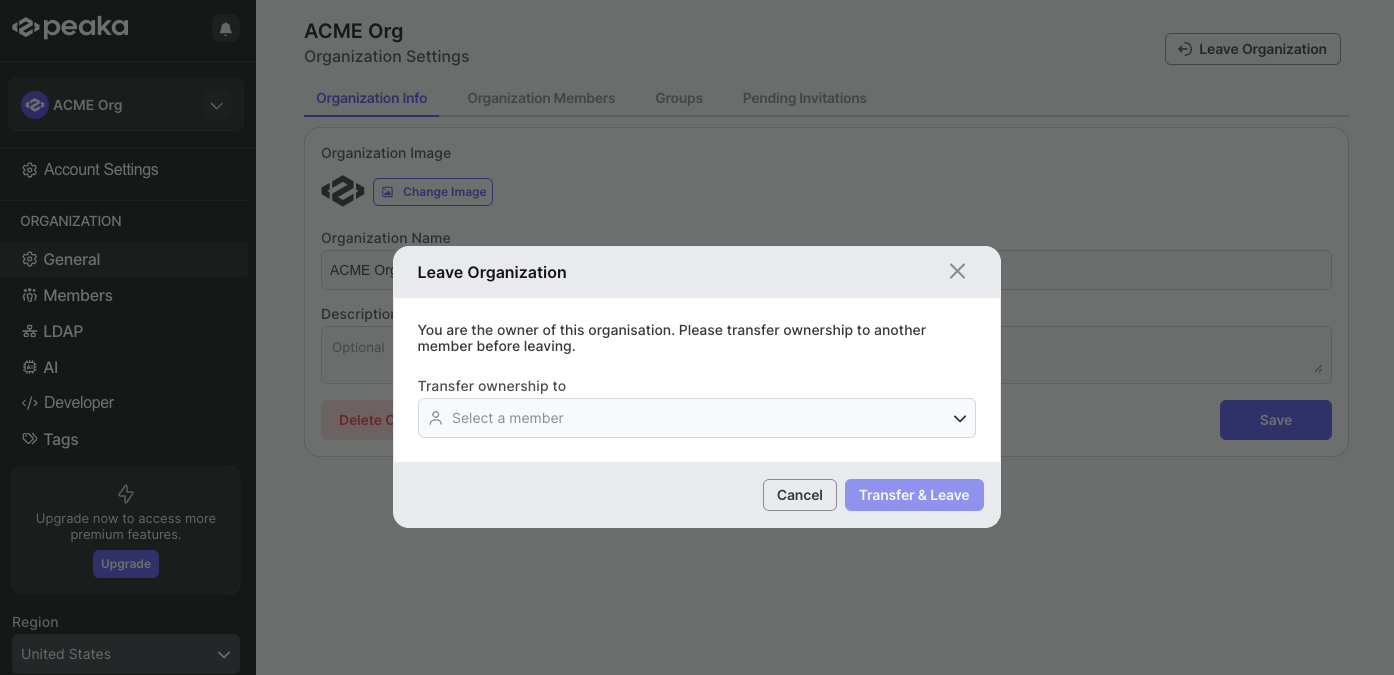
A confirmation modal will appear. Follow the steps based on your role in the organization:
- If you are the owner: Select a new owner from the Transfer ownership to dropdown and click the Transfer & Leave button.
- If you are an admin or member: Click the Leave button to confirm.