

Prerequisites
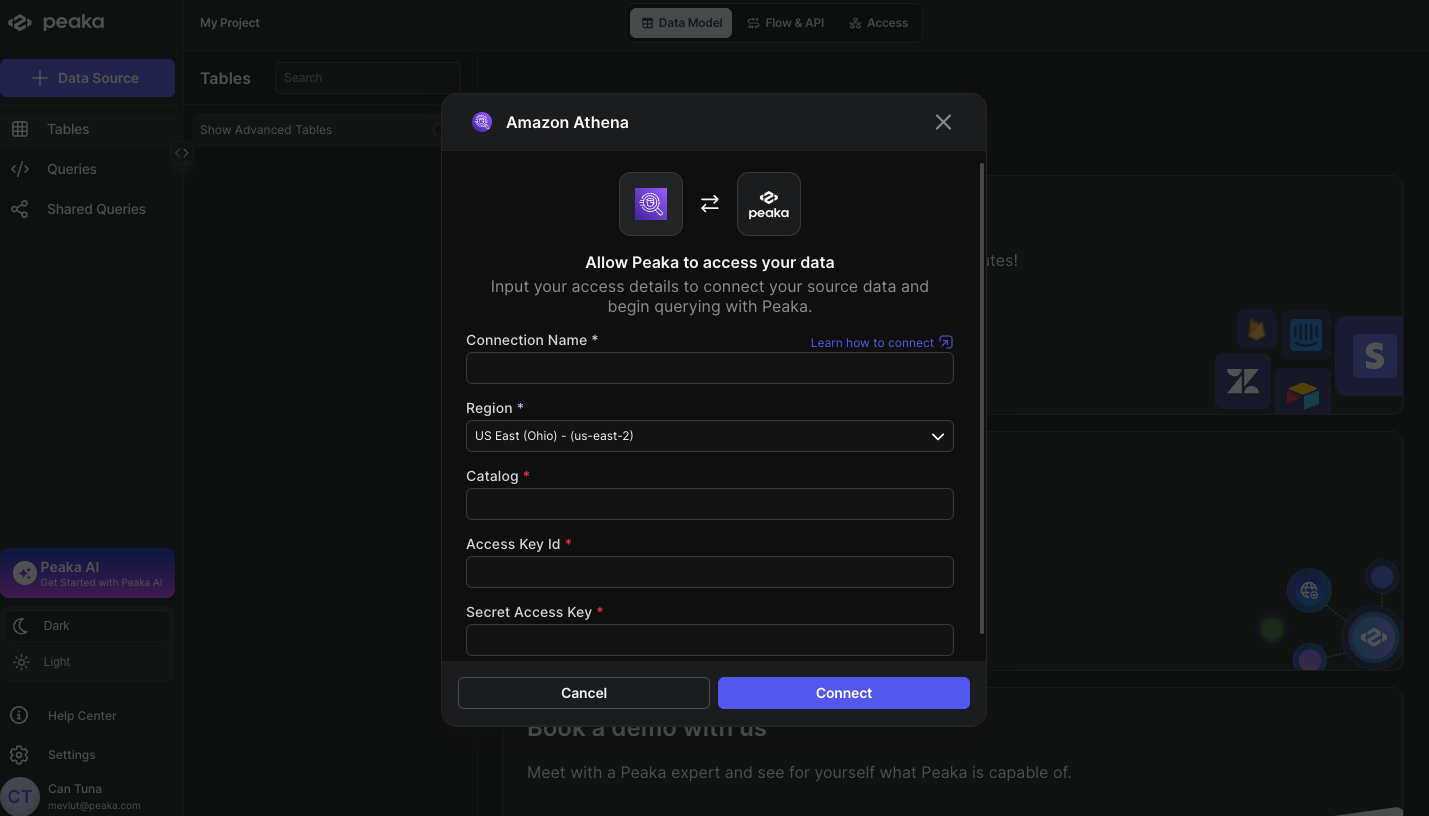
Before you start, you will need the following information from your AWS account:- Region (The AWS region where your Athena resources are located)
- Catalog (The data source catalog name, typically
AwsDataCatalogfor AWS Glue) - Access Key ID (The access key ID for your AWS account or IAM user)
- Secret Access Key (The secret access key for your AWS account or IAM user)
- Region: Identify the AWS region where your Athena workgroup and data reside. You can find your current region in the top-right corner of the AWS Management Console. For more details, refer to the AWS region selection guide.
-
Catalog: The catalog name refers to the data source catalog registered in Athena. If you are using AWS Glue Data Catalog, the default catalog name is
AwsDataCatalog. For more details, see the Athena data sources documentation. -
Access Key ID and Secret Access Key: Generate an access key pair from the AWS IAM console.
- For IAM users, follow the IAM user access key guide.
- For root users, follow the root user access key guide.
Connecting Amazon Athena to Peaka
Now that you have obtained the necessary credentials, you can connect Amazon Athena to Peaka using the following steps:- Navigate to the data model page in Peaka.
- In the side menu bar, click the “Data Source” button to initiate the connection process.
- In the modal that appears, select “Amazon Athena” as your data source.
- Fill out the connection details form as shown in the image below.
- Click “Connect” to create your Amazon Athena data source.