

This article guides you through the process of connecting PostgreSQL to Peaka, allowing you to seamlessly access your PostgreSQL data within the Peaka platform. Note: Users can establish a data source to their PostgreSQL database on AWS by leveraging IAM credentials. For more details, refer to the article in Peaka’s documentation.Documentation Index
Fetch the complete documentation index at: https://docs.peaka.com/llms.txt
Use this file to discover all available pages before exploring further.
Prerequisites
Before you start, you will need the following information from PostgreSQL.- Host (Endpoint without the port or database name)
- Port (The port used to connect to your database)
- User (The username of the service account)
- Password (The password for the service account user)
- Database Name (The database name of your service)
- Schema (The name of your schema)
- SSL, if active (Toggle “Connect Through TLS” switch)
Connecting PostgreSQL to Peaka
- Navigate to the data model page in Peaka.
- In the side menu bar, click the “New Data Source” button to initiate the connection process.
- In the modal that appears, select “PostgreSQL” as your data source.
-
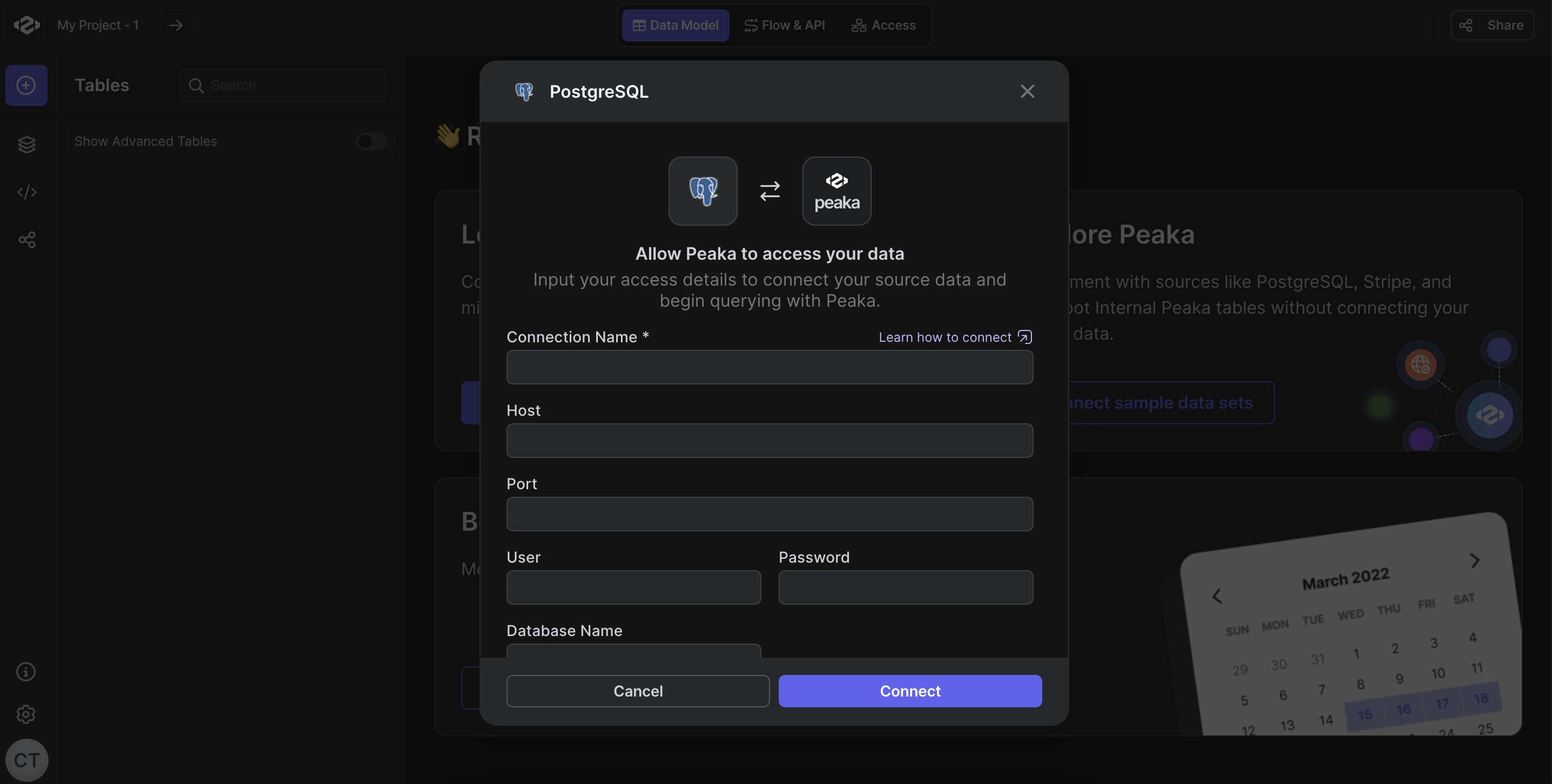
Fill out the data source details form as shown in the image below, including:
- Host (Endpoint without the port or database name)
- Port (The port used to connect to your database)
- User (The username of the service account)
- Password (The password for the service account user)
- Database Name (The database name of your service)
- Schema (The name of your schema)
- Connect Through TLS (Toggle switch if SSL is active)
- Click “Next” to establish the data source.
 Congratulations! You’ve successfully created a new data source between PostgreSQL and Peaka. You can now access and manage your PostgreSQL data seamlessly within the Peaka platform.